Blog

  • Offline budget analysis tools: managing finances without internet access

    Offline budget analysis tools: managing finances without internet access

    When your budgeting depends on an internet connection, a single outage, or a decision to reduce data sharing, can interrupt the most important habit in personal finance: consistently tracking what you earn, spend, and save. Offline budget analysis tools solve that by keeping your records and calculations available anytime, whether you’re traveling, conserving mobile data, or simply choosing a more private workflow.

    Offline budgeting is also having a moment because major “all-in-one” cloud services change rapidly. Mint, for example, officially shut down in March 2024, and a January 2026 roundup notes how that closure has pushed many people to consider privacy-first and local alternatives instead of always-on syncing.

    1) What “offline budget analysis” really means (and why it matters)

    Offline budget analysis means your core workflow, data entry, categorization, reporting, and forecasting, runs without contacting remote servers. You can still choose to import files you downloaded earlier (like bank exports) or sync later, but the day-to-day budgeting doesn’t require the internet to function.

    This matters for resilience. Storms, travel, workplace restrictions, or unstable home connections can all make online tools unreliable at the exact moment you need to reconcile transactions or check whether you can afford a purchase.

    It also matters for privacy and control. Local-first tools keep your financial history on devices you manage, which can reduce exposure to data mining, ad tracking, and account lockouts. In a post-Mint landscape, that sense of control is a practical advantage, not just a preference.

    2) Spreadsheets offline: the most flexible option

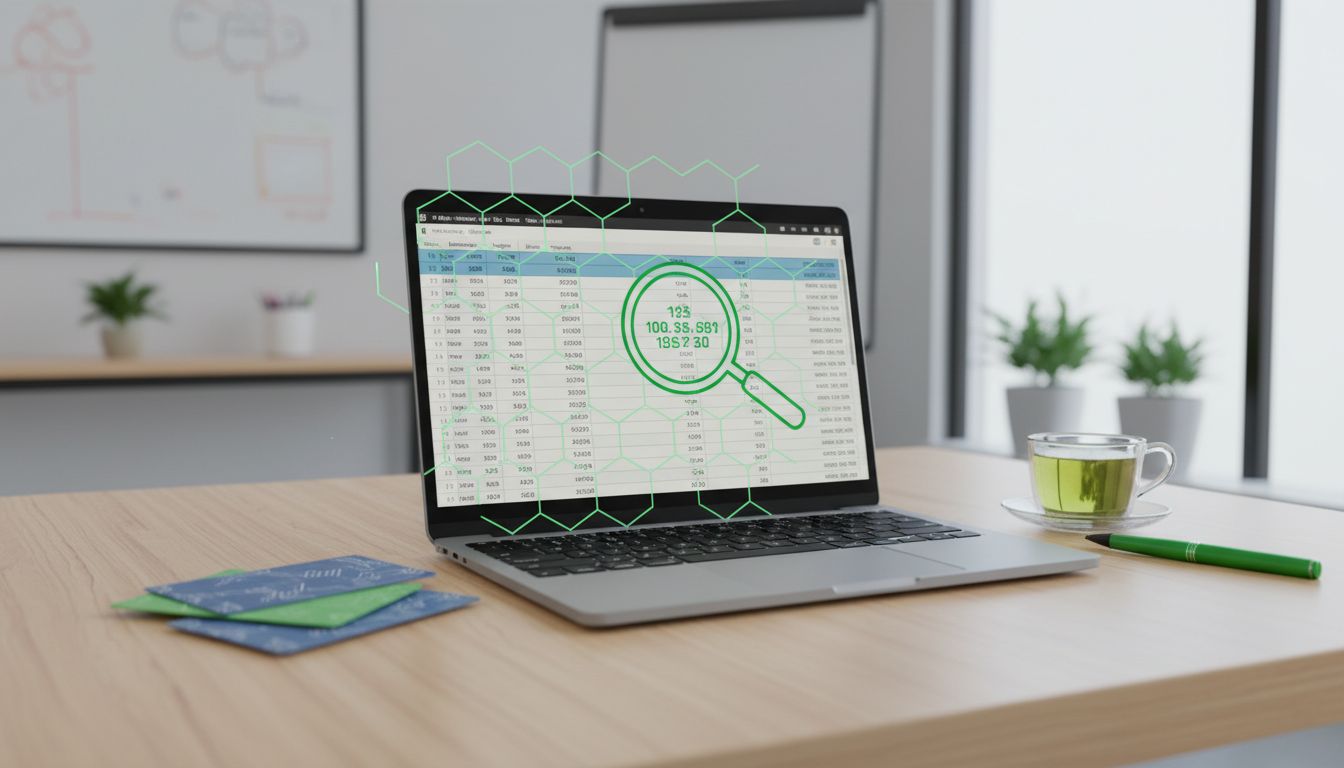
    Spreadsheets remain the universal offline budgeting tool because they’re transparent: you can see every formula, adjust categories, and build custom dashboards. Microsoft Support confirms that Office apps can create, open, and save files while offline, then sync later if the file lives in a cloud location.

    If you budget on an iPhone or iPad, Microsoft 365 Insider explains you can “Make Excel worksheets available offline” using a “Make Available Offline” option. That enables a mobile workflow where your budget spreadsheet is usable even when you’re disconnected, like on a flight or in a dead zone.

    Apple’s Numbers also supports “Offline collaboration,” stating you can edit shared spreadsheets while offline and your changes upload once you’re online again. That’s helpful for couples or households who want a shared budget but still need the ability to work without constant connectivity.

    3) Offline access with cloud tools (Google Sheets) without being always online

    Some people want the familiarity of a cloud suite but still need offline capability. Google Workspace Admin Help notes that offline access can be enabled for Docs, Sheets, and Slides when computers aren’t connected to the internet, and that recent files will be synced and saved on the user’s computer.

    For budgeting, that means you can keep a “current month” and “annual overview” sheet cached locally, then reconcile changes later. The key is to treat offline as a deliberate operating mode, ensuring the files you rely on are marked for offline use before you lose connectivity.

    To keep this workflow clean, separate “input” tabs (daily transactions) from “analysis” tabs (pivot tables, charts, category totals). That structure makes it easier to avoid conflicts when you go back online and syncing resumes.

    4) Purpose-built offline budgeting apps: MMEX, GnuCash, HomeBank, KMyMoney

    If spreadsheets feel too manual, desktop finance managers provide stronger structure: accounts, payees, categories, scheduled transactions, reconciliation, and reporting. Money Manager Ex (MMEX) positions itself as local-first, “Your financial data, your control”, and lists budgeting plus AES encryption, making it suitable for offline records that still need at-rest protection.

    MMEX is also practical when you move between machines. Its user manual notes that installation is not required for portable versions: they can run from a USB or flash drive. That’s a strong fit for offline use in multiple locations (home PC, work laptop, travel machine) while keeping the database under your physical control.

    GnuCash is a long-standing desktop accounting tool with robust bookkeeping features. Its documentation lists online stock/mutual fund quotes as a supported feature, but that’s optional rather than fundamental. The GnuCash wiki further clarifies “Online Quotes” as a separable component that can be configured and retrieved via tools like gnucash-cli, helping you define exactly which parts require internet and which do not.

    For a lighter-weight option, PortableApps lists HomeBank Portable version 5.9.7 for Windows, designed to run anywhere without installing. The same listing highlights “Simple Month/Annual budget” and local import formats like OFX/QFX, QIF, and CSV, useful when your bank exports files but you don’t want to connect your accounts online.

    On Linux and other platforms, KMyMoney is another offline-friendly desktop manager. KDE’s app listing describes it as a personal finance manager supporting reconciliation and QIF import/export, and KMyMoney’s official site emphasizes double-entry accounting principles, helpful for accurate, audit-friendly records when you’re managing everything locally.

    5) Portable and “no-install” workflows for offline life

    Offline budgeting gets easier when your tools are portable. A “budget kit” can be as simple as a USB drive containing your finance app (portable build), your data file, and exports from your bank. This reduces dependence on a single computer and can support travel or temporary setups.

    MMEX explicitly supports portable versions that run from a USB drive, and HomeBank Portable is built around the same concept. Portability is especially useful for people who don’t have admin rights on a machine or who want to minimize what gets left behind on shared computers.

    If you go portable, make backup part of the routine: keep one encrypted primary drive and one encrypted backup. Offline doesn’t mean “no risk”, it just shifts the risks from cloud accounts to physical loss, device failure, and file corruption.

    6) Securing offline budget files: encryption and password management

    Offline budgeting concentrates sensitive data, income, spending patterns, account balances, into files you control. That’s great for privacy, but it also means you need strong local security. VeraCrypt is a common solution for encrypting budget spreadsheets and finance databases inside an encrypted container.

    VeraCrypt’s downloads page lists a Portable build and states the Latest Stable Release is 1.26.24 (May 30, 2025). Using the portable edition can pair well with an offline “budget vault” stored on a USB drive, so your finance files remain encrypted at rest and only decrypt when you mount the container.

    Passwords are the other half of the equation. KeePassXC describes itself as “ad-free, tracker-free, and cloud-free” and notes that no data is stored on remote servers, making it suitable for fully offline credential storage (for example, the passphrase to your VeraCrypt container or the password to an encrypted MMEX database). Privacy Guides also explicitly states that “KeePassXC works offline by default” because it does not automatically sync with any remote cloud service.

    7) Offline templates and macro-free budgeting with LibreOffice Calc

    If you want a completely offline, vendor-neutral spreadsheet approach, LibreOffice Calc is a strong option. It runs locally on major operating systems and supports standard spreadsheet workflows without requiring a subscription or account sign-in.

    When you download templates, prioritize simple designs that don’t rely on macros. A Feb 2026-crawled listing for a LibreOffice Calc expense tracker notes it “works without macros,” which is useful both for compatibility and for reducing the security risk that can come with macro-enabled files.

    A good offline template strategy is to keep one “raw transactions” sheet that you never rewrite (only append), then build monthly summaries and charts from that dataset. That way, your analysis remains reproducible, and you can audit or correct entries without breaking your reporting.

    Offline budget analysis tools are no longer niche: they’re a practical response to shifting app ecosystems, changing privacy expectations, and the reality that internet access isn’t always guaranteed. Whether you choose spreadsheets (Excel, Numbers, LibreOffice) or dedicated apps (MMEX, GnuCash, HomeBank, KMyMoney), the goal is the same: make your financial tracking dependable and yours.

    The strongest offline setup combines three pieces: a tool you’ll actually use, a simple import/entry routine, and local security. With encryption from VeraCrypt (including its portable option and stable 1.26.24 release as of May 30, 2025) and offline-by-default credential storage via KeePassXC, you can keep budgeting functional anywhere, without turning your finances into someone else’s cloud database.


  • Enhancing cash flow management with short-term financial projections

    Enhancing cash flow management with short-term financial projections

    Cash flow management has become a frontline discipline again, not just a finance hygiene task. In the AFP 2025 Treasury Benchmarking Survey, nearly three-quarters of treasury practitioners cite cash management and forecasting as top priorities, and over 60% call cash/liquidity forecasting the most challenging activity. The message is clear: organizations want clearer, faster, and more reliable short-term visibility.

    Short-term financial projections are one of the most practical levers to get there. When designed with the right horizon, data, and cadence, they help teams decide how much liquidity is truly available, when funding is needed, and how much cash can be invested safely, an important point given that safety dominates short-term investing decisions for 61% of organizations (AFP 2025 Liquidity Survey).

    1) Why short-term projections are now a treasury priority

    Treasury priorities are shifting from periodic reporting to continuous control. The AFP 2025 Treasury Benchmarking Survey reports that “cash management and forecasting” is a top priority for nearly three-quarters of practitioners, while more than 60% describe cash/liquidity forecasting as their most challenging task. This combination, high importance and high difficulty, is exactly where structured short-term projections add value.

    Short-term forecasts also respond to a broader liquidity backdrop where funding conditions can change quickly. Even sovereign issuers model near-term cash balances and borrowing needs: the U.S. Treasury’s TBAC discussions (Nov 2024 refunding context) reference assumptions about cash balances and quarterly borrowing needs, underscoring that short-horizon liquidity planning matters even at the largest scale. Corporate treasuries operate with different instruments, but the same principle applies: short-term decisions depend on near-term cash reality.

    Finally, the “payoff” is measurable. Working-capital performance data (Hackett via CFO.com, July 17, 2025) shows the average cash conversion cycle among the 1,000 largest U.S. nonfinancial public companies improved to 37 days in 2024 (from 38.3 in 2023), with days payable outstanding improving to 59 days (from 57.2). Short-term projections help convert working-capital initiatives into liquidity outcomes by translating operational changes into day-by-day cash impact.

    2) Choosing forecast horizons that match real decisions

    A common reason forecasts fail is a mismatch between horizon and decision. Treasury playbooks are increasingly codifying practical horizons (2026 cash-forecasting guide): a very short window (roughly 3 to 15 days) is often best handled daily using transaction-level bank activity and scheduled payments. This is the zone where timing accuracy matters most, payroll, taxes, settlements, and supplier runs.

    For control and runway, the same guidance frames a medium-term horizon of roughly 4 to 13 weeks, refreshed weekly, integrating ERP signals like invoices, purchase orders, DSO assumptions, debt deadlines, and recurring items. Thirteen weeks is often described as a “sweet spot” because it’s long enough to see funding pressure forming, but short enough to remain actionable and not overly assumption-driven.

    Separating horizons also improves accountability. Daily forecasting should be owned by teams closest to cash movements (bank activity, payments), while the 13-week view benefits from collaboration across FP&A, AR/AP, and procurement. Done well, this structure reduces the tendency to overload a single model with every use case, which usually leads to complexity without better accuracy.

    3) Direct vs. indirect approaches: designing projections that hold up

    Short-term projection design often starts with a methodological choice that’s also familiar in accounting. IAS 7 allows operating cash flows to be presented using either the direct method (major classes of gross receipts and payments) or the indirect method (profit adjusted for non-cash items and working-capital changes), and it explicitly encourages the direct method. While IAS 7 governs reporting, the conceptual distinction is useful for forecasting governance and model design.

    For short-term liquidity visibility, the direct method is widely positioned as the most accurate approach. A current practitioner-oriented industry explainer notes that direct-method forecasting uses bank transactions, payables/receivables, and expense data, making it “highly accurate for short-term forecasting,” provided data discipline is strong. In practice, that accuracy is exactly what treasury needs when deciding whether to draw on a facility, delay discretionary spend, or execute an investment.

    Indirect-style approaches can still be valuable, particularly for longer horizons and scenario work where drivers matter more than individual payments. But for near-term cash control, direct-method mechanics (what will hit the bank and when) create a clearer bridge between operational events and liquidity outcomes. Many organizations blend both: direct method for 0, 15 days and a driver-informed roll-forward for weeks 3, 13.

    4) Data discipline: the real bottleneck behind “forecast accuracy”

    Organizations increasingly recognize that forecasting problems are often data problems. In the PwC 2025 Global Treasury Survey, 76% cite poor data quality as a key pain point, and many still struggle with manual collection and consolidation of forecasting data (reported as 38% for very large firms in the survey commentary). If the input data is late, incomplete, or inconsistent, forecast “accuracy” becomes largely a measure of how fast the organization learns about surprises.

    Short-term forecasts are especially sensitive to data latency and categorization. A single mis-timed payment run, an unposted bank fee, or an untagged intercompany transfer can distort the near-term picture. Building discipline means standardizing transaction tagging, defining a clear cash taxonomy (collections, payroll, taxes, capex, debt service), and setting rules for cutoffs, what must be included by what time each day or week.

    It also means acknowledging that many organizations still rely on tooling that makes discipline hard to sustain. PwC notes that a portion of companies still use offline or homegrown systems for short-term cash forecasting (22% in the survey highlights shown). Spreadsheets can work, but they raise operational risk (versioning, manual errors) and slow cadence, which is precisely what short-term cash management cannot afford.

    5) Automation, AI, and APIs: speeding up the forecasting cycle (with governance)

    Treasury technology is increasingly about cycle time: how quickly you can refresh projections after new information arrives. The PwC 2025 Global Treasury Survey reports that 74% are either expanding or actively using AI (machine learning/predictive analysis), and 65% plan to expand API use in the next few years. APIs reduce the “wait time” for bank and ERP data, while automation reduces the human effort required to transform that data into forecast-ready structures.

    Benchmarks suggest maturity correlates with automation depth. In the AFP 2025 Treasury Benchmarking Survey, higher-maturity (“strategic/optimized”) treasury teams automate over half of the liquidity-forecast-building process. That automation can include bank data ingestion, reconciliation suggestions, rolling forward recurring items, and variance attribution (e.g., identifying which flows drove the gap between forecast and actual).

    However, AI-enabled forecasting needs governance, not blind trust. Research in Jan 2026 (arXiv FinDeepForecast, 2026-01-08) indicates that “agentic” forecasting systems can outperform baselines yet still fall short of true forward-looking reasoning. For treasury, the implication is practical: use AI to improve pattern detection, anomaly flags, and workload reduction, but keep humans accountable for assumptions, scenario design, and sign-offs, especially where forecasts drive funding actions or risk limits.

    6) Turning projections into decisions: investing, funding, and working capital

    A short-term cash forecast is only as valuable as the actions it enables. One immediate application is short-term cash investing, where the objective is often preservation of principal and liquidity rather than yield. The AFP 2025 Liquidity Survey found that 61% of organizations rank safety as the top short-term investment objective, and bank products are the primary choice for 46% of respondents (responses collected March 4, 28, 2025). A reliable projection clarifies how much cash is truly “excess” and for how long, which is essential for matching tenor to need.

    On the funding side, a 13-week view can prevent reactive borrowing. Seeing a liquidity dip forming in week 6, 8 gives time to optimize draw timing, negotiate terms, or accelerate collections. It also supports policy decisions like minimum cash buffers, setting a floor based on forecast volatility rather than an arbitrary number.

    Short-term projections also sharpen working-capital programs by quantifying timing effects. If DPO improves (as the Hackett/CFO.com data suggests happened on average in 2024), the forecast should show the resulting cash retention by week and by vendor segment. Likewise, collections initiatives can be tested against near-term liquidity pressure: the question becomes not only “does DSO improve?” but “does cash arrive before the next funding wall?”

    7) Cadence and stress: keeping forecasts current and resilient

    Forecasts decay quickly when assumptions are static. Rolling forecasts, refreshed monthly or quarterly rather than tied to annual budgets, are emphasized in FP&A practice as a mechanism to reduce reliance on outdated assumptions and improve accuracy (Workday FP&A explainer). Treasury can adopt the same mindset: keep the 13-week model rolling, update drivers routinely, and maintain a consistent weekly (or more frequent) refresh schedule.

    For near-term rigor, corporate treasury can borrow concepts from regulated banking disciplines. BCBS intraday liquidity monitoring tools (2013) define granular time-bucketed monitoring and stress scenarios to ensure timely payment and settlement. Corporates aren’t regulated the same way, but the principle still applies: more granular buckets (intraday or daily) improve control over payment timing and reduce the risk of operational surprises.

    Finally, stress testing should not be an afterthought. BCBS liquidity risk management principles (2008) emphasize stress tests across institution-specific and market-wide scenarios linked to contingency funding plans. Translating that to a corporate context means running short-horizon scenarios (key customer delay, supplier acceleration, market shock affecting credit availability) and documenting the actions tied to triggers, so the forecast becomes a playbook, not just a report.

    Enhancing cash flow management with short-term financial projections is ultimately about reducing uncertainty fast enough to make better decisions. The latest surveys show why this matters now: forecasting is a top priority, it remains challenging, and many teams still carry manual and offline constraints that slow updates and increase error risk. The organizations improving fastest are standardizing horizons, tightening data discipline, and automating repeatable steps.

    The goal isn’t a perfect prediction, it’s a reliable operating rhythm. By combining direct-method visibility for the near term, a rolling 13-week runway for control, and modern enablers like APIs and AI (with appropriate governance), treasury teams can align liquidity with real-world actions: invest safely, fund proactively, and convert working-capital performance into cash when it counts.

  • Enhancing cash flow management with short-term financial projections

    Enhancing cash flow management with short-term financial projections

    Cash flow management has become a frontline discipline again, not just a finance hygiene task. In the AFP 2025 Treasury Benchmarking Survey, nearly three-quarters of treasury practitioners cite cash management and forecasting as top priorities, and over 60% call cash/liquidity forecasting the most challenging activity. The message is clear: organizations want clearer, faster, and more reliable short-term visibility.

    Short-term financial projections are one of the most practical levers to get there. When designed with the right horizon, data, and cadence, they help teams decide how much liquidity is truly available, when funding is needed, and how much cash can be invested safely, an important point given that safety dominates short-term investing decisions for 61% of organizations (AFP 2025 Liquidity Survey).

    1) Why short-term projections are now a treasury priority

    Treasury priorities are shifting from periodic reporting to continuous control. The AFP 2025 Treasury Benchmarking Survey reports that “cash management and forecasting” is a top priority for nearly three-quarters of practitioners, while more than 60% describe cash/liquidity forecasting as their most challenging task. This combination, high importance and high difficulty, is exactly where structured short-term projections add value.

    Short-term forecasts also respond to a broader liquidity backdrop where funding conditions can change quickly. Even sovereign issuers model near-term cash balances and borrowing needs: the U.S. Treasury’s TBAC discussions (Nov 2024 refunding context) reference assumptions about cash balances and quarterly borrowing needs, underscoring that short-horizon liquidity planning matters even at the largest scale. Corporate treasuries operate with different instruments, but the same principle applies: short-term decisions depend on near-term cash reality.

    Finally, the “payoff” is measurable. Working-capital performance data (Hackett via CFO.com, July 17, 2025) shows the average cash conversion cycle among the 1,000 largest U.S. nonfinancial public companies improved to 37 days in 2024 (from 38.3 in 2023), with days payable outstanding improving to 59 days (from 57.2). Short-term projections help convert working-capital initiatives into liquidity outcomes by translating operational changes into day-by-day cash impact.

    2) Choosing forecast horizons that match real decisions

    A common reason forecasts fail is a mismatch between horizon and decision. Treasury playbooks are increasingly codifying practical horizons (2026 cash-forecasting guide): a very short window (roughly 3 to 15 days) is often best handled daily using transaction-level bank activity and scheduled payments. This is the zone where timing accuracy matters most, payroll, taxes, settlements, and supplier runs.

    For control and runway, the same guidance frames a medium-term horizon of roughly 4 to 13 weeks, refreshed weekly, integrating ERP signals like invoices, purchase orders, DSO assumptions, debt deadlines, and recurring items. Thirteen weeks is often described as a “sweet spot” because it’s long enough to see funding pressure forming, but short enough to remain actionable and not overly assumption-driven.

    Separating horizons also improves accountability. Daily forecasting should be owned by teams closest to cash movements (bank activity, payments), while the 13-week view benefits from collaboration across FP&A, AR/AP, and procurement. Done well, this structure reduces the tendency to overload a single model with every use case, which usually leads to complexity without better accuracy.

    3) Direct vs. indirect approaches: designing projections that hold up

    Short-term projection design often starts with a methodological choice that’s also familiar in accounting. IAS 7 allows operating cash flows to be presented using either the direct method (major classes of gross receipts and payments) or the indirect method (profit adjusted for non-cash items and working-capital changes), and it explicitly encourages the direct method. While IAS 7 governs reporting, the conceptual distinction is useful for forecasting governance and model design.

    For short-term liquidity visibility, the direct method is widely positioned as the most accurate approach. A current practitioner-oriented industry explainer notes that direct-method forecasting uses bank transactions, payables/receivables, and expense data, making it “highly accurate for short-term forecasting,” provided data discipline is strong. In practice, that accuracy is exactly what treasury needs when deciding whether to draw on a facility, delay discretionary spend, or execute an investment.

    Indirect-style approaches can still be valuable, particularly for longer horizons and scenario work where drivers matter more than individual payments. But for near-term cash control, direct-method mechanics (what will hit the bank and when) create a clearer bridge between operational events and liquidity outcomes. Many organizations blend both: direct method for 0, 15 days and a driver-informed roll-forward for weeks 3, 13.

    4) Data discipline: the real bottleneck behind “forecast accuracy”

    Organizations increasingly recognize that forecasting problems are often data problems. In the PwC 2025 Global Treasury Survey, 76% cite poor data quality as a key pain point, and many still struggle with manual collection and consolidation of forecasting data (reported as 38% for very large firms in the survey commentary). If the input data is late, incomplete, or inconsistent, forecast “accuracy” becomes largely a measure of how fast the organization learns about surprises.

    Short-term forecasts are especially sensitive to data latency and categorization. A single mis-timed payment run, an unposted bank fee, or an untagged intercompany transfer can distort the near-term picture. Building discipline means standardizing transaction tagging, defining a clear cash taxonomy (collections, payroll, taxes, capex, debt service), and setting rules for cutoffs, what must be included by what time each day or week.

    It also means acknowledging that many organizations still rely on tooling that makes discipline hard to sustain. PwC notes that a portion of companies still use offline or homegrown systems for short-term cash forecasting (22% in the survey highlights shown). Spreadsheets can work, but they raise operational risk (versioning, manual errors) and slow cadence, which is precisely what short-term cash management cannot afford.

    5) Automation, AI, and APIs: speeding up the forecasting cycle (with governance)

    Treasury technology is increasingly about cycle time: how quickly you can refresh projections after new information arrives. The PwC 2025 Global Treasury Survey reports that 74% are either expanding or actively using AI (machine learning/predictive analysis), and 65% plan to expand API use in the next few years. APIs reduce the “wait time” for bank and ERP data, while automation reduces the human effort required to transform that data into forecast-ready structures.

    Benchmarks suggest maturity correlates with automation depth. In the AFP 2025 Treasury Benchmarking Survey, higher-maturity (“strategic/optimized”) treasury teams automate over half of the liquidity-forecast-building process. That automation can include bank data ingestion, reconciliation suggestions, rolling forward recurring items, and variance attribution (e.g., identifying which flows drove the gap between forecast and actual).

    However, AI-enabled forecasting needs governance, not blind trust. Research in Jan 2026 (arXiv FinDeepForecast, 2026-01-08) indicates that “agentic” forecasting systems can outperform baselines yet still fall short of true forward-looking reasoning. For treasury, the implication is practical: use AI to improve pattern detection, anomaly flags, and workload reduction, but keep humans accountable for assumptions, scenario design, and sign-offs, especially where forecasts drive funding actions or risk limits.

    6) Turning projections into decisions: investing, funding, and working capital

    A short-term cash forecast is only as valuable as the actions it enables. One immediate application is short-term cash investing, where the objective is often preservation of principal and liquidity rather than yield. The AFP 2025 Liquidity Survey found that 61% of organizations rank safety as the top short-term investment objective, and bank products are the primary choice for 46% of respondents (responses collected March 4, 28, 2025). A reliable projection clarifies how much cash is truly “excess” and for how long, which is essential for matching tenor to need.

    On the funding side, a 13-week view can prevent reactive borrowing. Seeing a liquidity dip forming in week 6, 8 gives time to optimize draw timing, negotiate terms, or accelerate collections. It also supports policy decisions like minimum cash buffers, setting a floor based on forecast volatility rather than an arbitrary number.

    Short-term projections also sharpen working-capital programs by quantifying timing effects. If DPO improves (as the Hackett/CFO.com data suggests happened on average in 2024), the forecast should show the resulting cash retention by week and by vendor segment. Likewise, collections initiatives can be tested against near-term liquidity pressure: the question becomes not only “does DSO improve?” but “does cash arrive before the next funding wall?”

    7) Cadence and stress: keeping forecasts current and resilient

    Forecasts decay quickly when assumptions are static. Rolling forecasts, refreshed monthly or quarterly rather than tied to annual budgets, are emphasized in FP&A practice as a mechanism to reduce reliance on outdated assumptions and improve accuracy (Workday FP&A explainer). Treasury can adopt the same mindset: keep the 13-week model rolling, update drivers routinely, and maintain a consistent weekly (or more frequent) refresh schedule.

    For near-term rigor, corporate treasury can borrow concepts from regulated banking disciplines. BCBS intraday liquidity monitoring tools (2013) define granular time-bucketed monitoring and stress scenarios to ensure timely payment and settlement. Corporates aren’t regulated the same way, but the principle still applies: more granular buckets (intraday or daily) improve control over payment timing and reduce the risk of operational surprises.

    Finally, stress testing should not be an afterthought. BCBS liquidity risk management principles (2008) emphasize stress tests across institution-specific and market-wide scenarios linked to contingency funding plans. Translating that to a corporate context means running short-horizon scenarios (key customer delay, supplier acceleration, market shock affecting credit availability) and documenting the actions tied to triggers, so the forecast becomes a playbook, not just a report.

    Enhancing cash flow management with short-term financial projections is ultimately about reducing uncertainty fast enough to make better decisions. The latest surveys show why this matters now: forecasting is a top priority, it remains challenging, and many teams still carry manual and offline constraints that slow updates and increase error risk. The organizations improving fastest are standardizing horizons, tightening data discipline, and automating repeatable steps.

    The goal isn’t a perfect prediction, it’s a reliable operating rhythm. By combining direct-method visibility for the near term, a rolling 13-week runway for control, and modern enablers like APIs and AI (with appropriate governance), treasury teams can align liquidity with real-world actions: invest safely, fund proactively, and convert working-capital performance into cash when it counts.

  • Top private personal finance apps for 2026

    Top private personal finance apps for 2026

    In 2026, “private” personal finance apps are no longer a niche preference, they’re a practical requirement. Budgeting and net-worth tracking often means aggregating sensitive bank, card, investment, and credit data, so the best tools are the ones that are transparent about security controls, credential handling, and how (or whether) your data is used beyond delivering the service.

    This guide focuses on privacy signals you can actually verify: independent security audits (like SOC 2 Type 2), encryption claims, “local-first” storage options, and clear statements about selling (or not selling) personal information. It also reflects the current market reality: mainstream “best of 2026” roundups include both cloud and desktop tools, and some services may shut down, so portability and deletion policies matter.

    1) What “private” means in personal finance apps (and why 2026 raises the bar)

    Privacy in a finance app isn’t one feature, it’s a set of design choices. At a minimum, you’re looking for strong encryption in transit and at rest, careful handling of banking credentials, and a business model that doesn’t depend on monetizing user data. Beyond that, independent audits and certifications can provide extra confidence that a company follows documented security controls.

    Another key dimension is where your data lives. Cloud dashboards can be convenient, but they inherently involve storing (and protecting) your data on someone else’s servers. Desktop-first and local-first tools shift more control to you, often improving privacy and resilience, but potentially requiring more hands-on backups and updates.

    Finally, 2026 adds a new decision layer: service continuity. If a provider closes or changes terms, you’ll want clean export options and a credible deletion policy. A reported example is Moneyhub (UK), with a closure date cited as August 14, 2026 and a claim that all personal data will be securely deleted after closure, useful context when weighing vendor longevity and exit plans.

    2) Monarch Money (2026 security-forward pick)

    For a modern, cloud-based experience that still prioritizes security signals, Monarch Money stands out in 2026. Monarch announced it is “SOC 2 Type 2 certified” (announcement dated Jan 21, 2026), which is a meaningful audit credential because it evaluates controls over time rather than at a single point.

    Monarch also states it uses encryption at rest and in transit and that it “never stores the user names or passwords” (updated Jan 21, 2026). Those are the kinds of concrete statements that help users understand how credentials are handled in practice, especially important for apps that connect to multiple financial institutions.

    On top of that, Monarch supports Multi‑Factor Authentication (MFA) (updated Dec 3, 2024), which matters because account takeover is one of the most common real-world risks for consumer finance tools. In short: if you want a cloud aggregator but want strong, auditable security posture, Monarch is a top 2026 contender.

    3) YNAB (privacy-conscious budgeting with a subscription model)

    YNAB is widely known for budgeting discipline, but its privacy posture also appeals to many users because it’s explicitly subscription-funded. In its Privacy Policy (effective Nov 5, 2025), YNAB states: “Our money comes from you, not ads.” That positioning can reduce incentives to build an ad-driven data pipeline.

    That said, privacy-minded users should still read the details. The same YNAB Privacy Policy lists third-party sources including “Advertising networks and partners” and “Analytics providers” (effective Nov 5, 2025). The presence of these categories doesn’t automatically mean your financial data is being sold, but it does indicate a broader ecosystem of third-party services that may touch usage data or identifiers.

    For many people, YNAB remains a strong “private enough” choice because its core value doesn’t rely on advertising. If your goal is to minimize third-party involvement as much as possible, you may prefer local-first tools; but if you want a polished budgeting workflow and a clear statement about not being ad-funded, YNAB deserves a place on a 2026 shortlist.

    4) Quicken Desktop and Quicken Simplifi (control, visibility, and “privacy mode”)

    Quicken’s desktop-first approach offers a classic privacy advantage: keeping the primary data file under your control. Quicken states that downloaded financial-institution data “is not used for anything other than providing and maintaining the One Step Update service,” uses 256‑bit encryption, and notes that “your Quicken data file is still stored on your desktop” (updated July 3, 2025). For users who want cloud convenience minimized, that local-file model can be compelling.

    At the same time, Quicken also offers Simplifi, a more modern, cloud-oriented product, and it includes an interesting “show without revealing” feature. Quicken Simplifi offers “Privacy Mode” that hides sensitive information such as account balances, transaction amounts, net worth, and your credit score (updated around Jan 2026). This can be surprisingly useful in everyday life, think screen-sharing, working in public, or taking screenshots for support.

    In practice, Quicken becomes two privacy paths: desktop for maximal local control, and Simplifi for convenience with extra on-screen discretion. If you value local storage and a long-established vendor, Quicken Desktop is a strong privacy angle; if you need a simpler interface with an added “hide sensitive fields” layer, Simplifi is worth considering.

    5) PocketSmith (forecasting with a firm “no selling” stance)

    PocketSmith is often chosen for planning and forecasting, features that can require deep historical and predictive views of your finances. Privacy-wise, PocketSmith makes a clear statement: “Under no circumstances will PocketSmith sell your personal information” (policy updated early Feb 2026). Direct language like this is valuable when comparing products with vague or conditional promises.

    The same policy also describes the use of anonymised/aggregated data and provides retention/deletion details (updated early Feb 2026). While anonymised analytics can still be a sensitive topic for some users, being explicit about what is collected, why, and how long it’s kept is a positive signal, especially for an app that may hold years of transactions and projections.

    If your top requirement is long-range cashflow planning but you still want strong privacy commitments, PocketSmith is one of the clearer 2026 options. As always, pair the policy stance with practical controls: strong passwords, MFA where available, and regular reviews of connected accounts.

    6) Moneydance (local-first ownership and portability)

    Moneydance remains a standout for people who want local-first personal finance software. The company has long stated that “Moneydance never sends any financial information, statistics, or online banking credentials to any service other than your own financial institution… stored encrypted on your computer” (blog post Aug 3, 2016, still cited as their position). That’s a strong privacy posture for users who prefer to avoid cloud aggregation entirely.

    Moneydance’s privacy policy also states: “TIK will not reveal any personal information… to any third party without their permission” (privacy policy page, crawled 2026). On mobile, its iOS App Store listing says “Data Not Collected,” and it mentions end‑to‑end encrypted syncing (via Dropbox or iCloud) plus “strong AES encryption” (listing updated Sept 27, 2024). Taken together, those signals align with the expectations of privacy-focused, self-directed users.

    Portability is another underrated privacy feature: when you can easily leave, you’re less locked into a vendor. Moneydance support guidance notes you can “copy and move the entire Moneydance data file” and “store your data file wherever you want,” and it documents default local file locations by OS with data stored as YourFileName.moneydance (support content modified Sept 7, 2022; crawled 2026). If you want privacy through ownership, Moneydance is one of the clearest fits.

    7) GnuCash Pocket (free, open-source style minimalism on mobile)

    For users who want a lightweight ledger without accounts being synced to a vendor cloud, GnuCash Pocket is a notable privacy-focused option. Its privacy policy states: “We do not collect any information from users… All of your information is stored on your personal device” (privacy policy page, crawled 2026). That’s a straightforward promise that matches what many people mean by “private.”

    The trade-off is that “device-only” often implies fewer automations: you may be doing more manual entry, fewer bank connections, and more personal responsibility for backups. But for some users, especially those tracking cash spending, reimbursements, or a simple category budget, this is a feature, not a bug.

    If your threat model prioritizes minimizing third-party access over convenience, a tool like GnuCash Pocket can be a strong complement (or alternative) to cloud dashboards. It’s also an easy way to separate sensitive tracking (like medical or personal categories) from accounts that require online connectivity.

    8) Credit Karma, Honeydue, and the “privacy-first” niche: reading the fine print

    Not every popular finance app is primarily a budgeting tool, some are dashboards for credit and financial identity. Intuit Credit Karma states “We do not sell your personal information…” and cites ISO27001 and SOC 2 compliance (security page, crawled 2026). An older but still indexed version of its privacy text also says: “We do not sell your Personal Information to or share it with unaffiliated third parties for their own advertising or marketing purposes” (privacy page versioned 20180531). Certifications and explicit commitments can be meaningful, but you should still review what data is collected and what “do not sell” means in context (especially around sharing and personalization).

    For couples and shared spending, Honeydue is often mentioned, but privacy-minded users should note operational realities. Honeydue’s privacy policy mentions international transfer and storage of personal information “in the cloud, on our servers… or… service providers” (privacy page, crawled 2026). That doesn’t make it “bad,” but it does mean your joint finance data may be processed across jurisdictions and vendors, important for users with strict privacy requirements.

    Finally, be cautious with “privacy-first” lists that come from vendor blogs rather than independent reviews. A recent niche post titled “Best Personal Finance Apps for Privacy in 2026” promotes “Cognito Money,” claiming “All data stored locally, nothing on cloud servers” and “No Plaid” (published last month). Those claims might be useful leads, but treat them as starting points, verify policies, exports, and security details yourself before trusting a new entrant with sensitive accounts.

    9) How to choose a private finance app in 2026 (a practical checklist)

    Start with your preferred data model: cloud aggregator, desktop-first, or local-first. Cloud tools are typically easier for automatic syncing and mobile access, but local-first options can reduce exposure by keeping the primary data file on your devices. If you’re unsure, consider a hybrid approach: use a local-first tool for detailed records and a cloud dashboard for high-level monitoring.

    Next, look for verifiable security and privacy signals. Independent audit credentials (for example, Monarch Money’s SOC 2 Type 2 certification announcement dated Jan 21, 2026), encryption claims (at rest and in transit), and MFA support (Monarch notes MFA support updated Dec 3, 2024) are concrete indicators. Also read the privacy policy for “sell” language, retention periods, deletion processes, and third-party categories like analytics and advertising partners (explicitly listed in YNAB’s policy effective Nov 5, 2025).

    Finally, plan your exit before you commit. Check whether you can export data in common formats and whether the app supports local backups. Market disruption is real, Moneyhub (UK) has been reported to close on August 14, 2026 with a claim that personal data will be securely deleted afterward, so your ability to migrate matters just as much as features. As a sanity check, compare your finalists against mainstream roundups like TechRadar’s “Best personal finance software of 2026,” which includes Quicken, YNAB, Moneydance, Quicken Simplifi, Monarch, and PocketSmith (published last week).

    Privacy-focused personal finance in 2026 is less about finding a single “perfect” app and more about matching tools to your comfort level with cloud storage, third-party integrations, and long-term vendor risk. Monarch Money leads for security-forward cloud budgeting with SOC 2 Type 2 certification, while YNAB offers a subscription model with an explicit “not ads” stance, tempered by disclosures about advertising and analytics partners.

    If you want maximum control, local-first and desktop-first options like Moneydance and Quicken Desktop emphasize file ownership, encryption, and keeping data on your machine, while PocketSmith provides planning features paired with a clear promise not to sell personal information. Whichever route you choose, prioritize verifiable claims, enable MFA where possible, and make sure you can export and leave, because the most private finance setup is the one you can fully control over time.

  • 3 steps to grow your savings by $10,000 in 2026

    3 steps to grow your savings by $10,000 in 2026

    Growing your savings by $10,000 in 2026 isn’t about a perfect budget or a “hot” market call, it’s about building a system that makes progress inevitable. With a clear target and a few policy-driven tailwinds (like updated retirement limits and inflation-adjusted tax thresholds), you can turn a big-sounding number into a set of simple weekly decisions.

    The key is sequencing: automate the goal, use the best legal savings “accelerators,” and remove the biggest drag on your cash flow. The three steps below are designed to be practical in real life, because consistency beats intensity when you’re saving for an entire year.

    Step 1: Make the $10,000 goal automatic (and correctly priced)

    Start by converting “save $10,000” into an automatic transfer that hits the math. A clean benchmark is about $834 per month or roughly $193 per week, which gets you to $10,000 by 12/31/2026 if you stick with it. The point isn’t the exact number, it’s removing the monthly decision-making that causes most savings plans to fail.

    Set the transfer to happen right after payday. If you’re paid biweekly, you can split it into smaller, less painful amounts; if you’re paid weekly, a weekly transfer can feel more natural. Either way, automation turns saving into a default behavior rather than a willpower test.

    Then “price” your savings account choice correctly. The FDIC reported that the national average savings rate was about 0.40% (Nov 2025), which is a reminder that many people still earn very little interest unless they shop around. Even if interest isn’t your main driver, choosing a more competitive savings vehicle can help your automated plan keep more of its momentum.

    Step 1 (continued): Don’t park new savings in 0.40% accounts by default

    The FDIC national average (~0.40% as of Nov 2025) is not a recommendation, it’s a snapshot of what many accounts pay. If your money is sitting at something close to that “average,” the opportunity cost can quietly add up, especially when you’re trying to stack $10,000 within a single calendar year.

    In practice, this means taking 20 minutes to review where your cash is held and what it earns. Compare your bank’s posted rate to alternatives available to you (including other insured banks and credit unions). The goal isn’t to chase the absolute top rate every week; it’s to avoid an unnecessary near-zero default.

    Finally, align the account with the job. If this $10,000 is a near-term goal or part of your emergency buffer, prioritize safety and liquidity over return. But if it’s “new savings” you won’t touch for a while, consider whether a higher-yield cash option better matches your timeline, while still keeping risk appropriate for cash reserves.

    Step 1 (continued): Build a cash runway so you don’t raid long-term assets

    One underrated way to grow savings is to prevent backsliding. A cash runway, money held in cash-like accounts for emergencies, reduces the odds you’ll sell long-term investments at a bad time or interrupt contributions when life happens.

    This matters because the biggest threat to a $10,000 plan is often a single surprise expense that forces you to undo months of progress. When your emergency funds are separated from your goal savings (even in a second sub-account), you create friction against pulling from the wrong bucket.

    Link this back to the rate reality highlighted by the FDIC’s national average. Since many traditional savings accounts still pay very little by default, it’s worth being intentional: keep your runway accessible, but don’t ignore the fact that some cash accounts pay materially more than the average. The better your “cash plumbing,” the more resilient your plan becomes.

    Step 2: Max the biggest legal savings accelerator, retirement contributions

    If your goal is to grow savings by $10,000 in 2026, retirement accounts can do heavy lifting, especially when employer matches and tax advantages are involved. The IRS confirmed: “401(k) limit increases to $24,500 for 2026, IRA limit increases to $7,500.” That means the ceiling for sheltered saving is high enough that many households can find an extra $10,000 of capacity simply by optimizing contributions.

    For workplace plans, 401(k), 403(b), 457, and the Thrift Savings Plan, the employee deferral limit is $24,500 for 2026. If you’re currently under-contributing, increasing your percentage by even 1, 3 points can translate into thousands over the year, particularly if raises or bonuses hit during 2026.

    Also treat the employer match as part of your savings system. While matches don’t count toward your personal $10,000 “cash savings” goal in a checking account, they do increase your net worth and reinforce the habit of paying yourself first. If you’re leaving match dollars on the table, that’s often the easiest “return” available.

    Step 2 (continued): Use catch-up rules, IRA space, and credits to boost results

    If you’re eligible for catch-up contributions, 2026 creates more room. The IRS lists a 2026 401(k) catch-up of $8,000 (age 50+), allowing up to $32,500 total, and notes that ages 60, 63 have a higher catch-up of $11,250. If you’re in these ranges, you can move more money into tax-advantaged space without needing any new financial product.

    IRAs also have expanded room: the IRA contribution limit is $7,500 for 2026, and the IRA catch-up contribution limit rises to $1,100 (age 50+). For someone who can’t, or doesn’t want to, push more into a workplace plan, an IRA can be the cleaner lever to pull.

    Two more 2026 updates can materially affect your plan: Roth IRA phase-out ranges increased (changing income-based eligibility), and Saver’s Credit income limits increased. If you qualify, the Saver’s Credit can effectively subsidize part of your retirement contributions, freeing cash flow to direct toward that $10,000 target. Consider checking eligibility early in the year so you can adjust contributions while you still have time to benefit.

    Step 3: Stop negative compounding first, attack high-interest revolving debt

    Saving $10,000 while carrying expensive revolving debt is like filling a bucket with a hole in it. In early February 2026, the Wall Street Journal reported that average credit card rates “hover above 24%”, a level that can overwhelm typical savings yields and even many long-run investment assumptions.

    From a planning perspective, paying down revolving balances can be a “guaranteed return” move. Every dollar of principal you eliminate reduces future interest charges, which immediately improves monthly cash flow, cash flow you can then redirect into your automated $834/month (or ~$193/week) savings plan.

    To stay grounded in the broader environment, track revolving credit conditions via the Federal Reserve’s Consumer Credit (G.19) release (Jan 8, 2026). You don’t need to become an economist; the practical takeaway is that revolving debt levels and conditions are significant enough that policymakers track them closely, so treating your revolving balance as an emergency is often rational, not dramatic.

    Step 3 (continued): Use 2026 tax updates to free cash for saving

    Cash flow isn’t just about spending, it’s also about taxes. For tax year 2026, the IRS listed standard deduction amounts of $16,100 (single), $24,150 ( of household), and $32,200 (married filing jointly). If your deductions are near the threshold, these inflation adjustments can change your taxable income and, in turn, the amount you should withhold.

    The IRS also noted that tax bracket thresholds moved with inflation while rates remained the same, which helps reduce “bracket creep.” The practical move is to review your W-4 or withholding settings (especially after raises, job changes, or major life events). Overwithholding can look like “good discipline,” but it may starve the monthly cash flow you need to make saving automatic.

    Once you reclaim any extra monthly cash (whether from better withholding alignment or lower interest payments), route it straight into Step 1 automation. The best savings plans don’t rely on remembering, they rely on systems that sweep cash into the right account before it gets absorbed by everyday spending.

    The simplest way to grow your savings by $10,000 in 2026 is to treat it like a project with three levers: automation, acceleration, and drag reduction. Automate the target so the math happens by default, use updated retirement limits and credits where they fit, and eliminate high-interest revolving debt that compounds against you.

    Most importantly, keep the plan stable. You don’t need to optimize every detail to succeed, you need a system you’ll follow for 52 weeks. If you set the transfers, choose smarter places to hold cash than “average” accounts, and protect your cash flow from 24% interest and preventable tax friction, $10,000 becomes a realistic milestone rather than a stressful wish.

  • Simplify your finances with automated expense tracking

    Simplify your finances with automated expense tracking

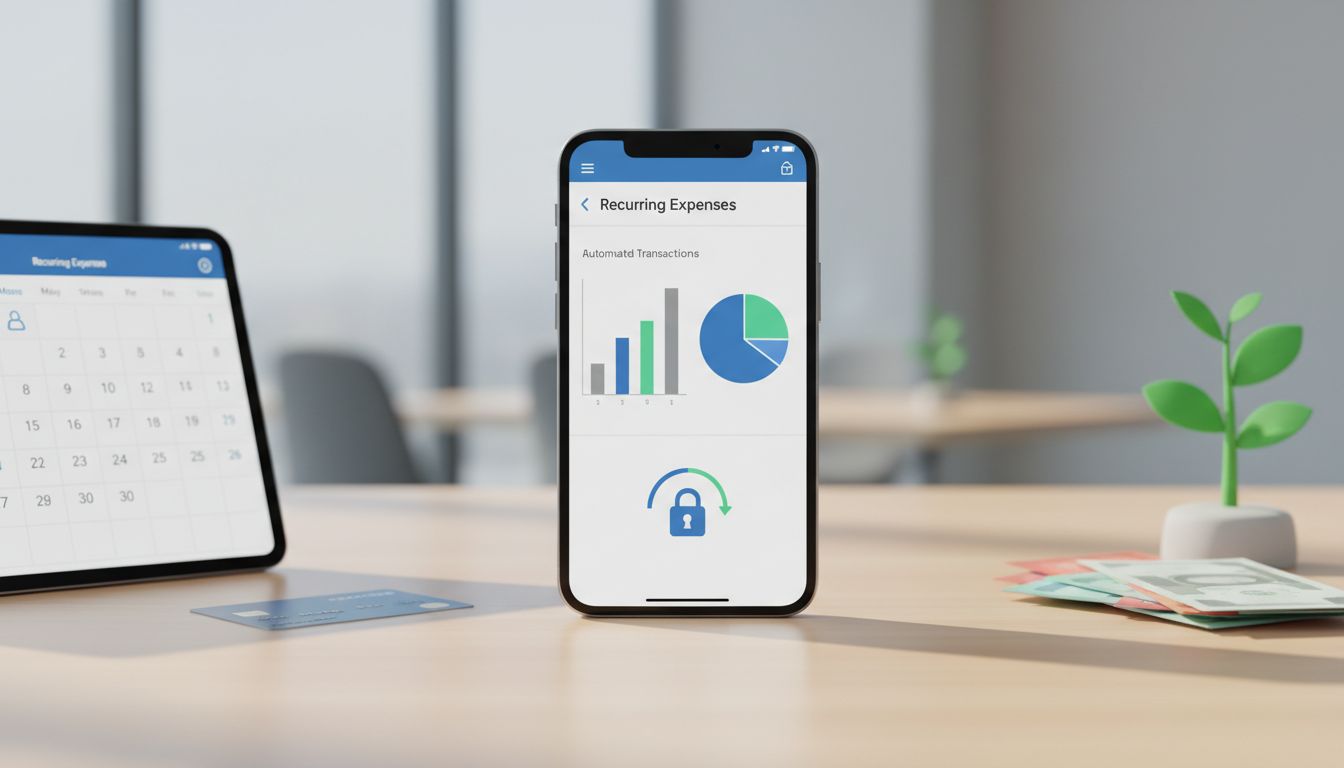
    Automated expense tracking is one of the fastest ways to simplify your finances because it replaces repetitive, error-prone tasks, typing receipts, hunting for transactions, and building reports, with workflows that run in the background. Instead of “doing your money” in one big stressful session, you let your tools collect data continuously and present it in a clean, searchable timeline.

    What’s changed in the last few years is the ecosystem: better bank connections, more sophisticated categorization, and receipt scanning that actually understands what it sees. From small-business accounting platforms to consumer budgeting apps, automation is now designed to reduce manual entry while improving the accuracy and usefulness of your spending data.

    1) What automated expense tracking really means (and why it matters)

    Automated expense tracking typically combines three capabilities: importing transactions from banks/cards, categorizing those transactions, and attaching proof (like receipts) to the right purchases. When these pieces work together, your records become “audit-ready” by default, organized, searchable, and consistently updated.

    This matters for everyday budgeting, but it’s especially valuable for business owners and freelancers who need reliable records. The IRS emphasizes recordkeeping as a core part of running a business (see IRS Publication 583, revised Dec 2024 and reviewed Jan 23, 2026), and it also spells out what you need to substantiate expenses (IRS Publication 463 (2024)). Automation doesn’t change the requirements, it makes them easier to meet.

    Beyond compliance, the practical benefit is decision-making. When your spending is categorized and current, you can spot leaks (like forgotten subscriptions), understand true costs, and make adjustments before the month is over rather than after.

    2) Automated imports: your expenses arrive without manual data entry

    The foundation of automation is transaction aggregation, secure connections that pull in bank and credit-card activity. Many modern tools are designed so transactions appear as they happen, letting you review and adjust rather than start from scratch at month-end.

    QuickBooks, for example, describes connecting bank and credit-card accounts to automatically import and categorize expenses, while still letting you approve or edit entries and create custom rules. That “human-in-the-loop” design is important: you get speed without giving up control.

    Platform changes are expanding what can be imported automatically. In the Apple ecosystem, iOS 17.4 (Mar 5, 2024) enabled budgeting apps to access Apple Card, Apple Cash, and Savings data for automatic tracking, an example of how operating-system level updates can unlock more complete spend visibility.

    3) Receipt capture: from photos to matched transactions

    Receipts are often the biggest friction point because they’re easy to lose and time-consuming to transcribe. Automated receipt capture solves this by turning a quick snap (or forward) into structured data that can be stored, searched, and reconciled.

    QuickBooks notes that its mobile receipt capture can “automatically match” receipt information to an existing transaction, reducing manual entry and helping ensure your expense has supporting documentation in the right place.

    Expensify’s SmartScan is another clear example: it uses OCR to pull key fields like merchant, date, and amount automatically, and it supports receipt ingestion by photo, email, or SMS. For busy teams (or solo operators), that flexibility makes it far more likely receipts get captured at the moment the expense happens.

    4) Auto-categorization gets smarter: rules + improving taxonomies

    Categorization is where raw transactions become insight. The best systems combine automatic suggestions with rules you can customize, so your preferences (like treating “Amazon” as “Office Supplies” instead of “Shopping”) are applied consistently.

    QuickBooks highlights rules-based categorization and reporting that helps you “see how you spend every dollar,” and it also emphasizes that you can create custom rules and approve/edit results. Monarch Money similarly states it auto-categorizes transactions as they arrive and lets you build rules to auto-rename, recategorize, tag, hide, and more, classic “set-and-forget” automation once you’ve tuned it.

    Under the hood, data providers are also improving the categorization layer itself. Plaid announced AI-enhanced categorization (Dec 3, 2025) claiming up to 10% higher primary-category accuracy and 20% higher sub-category accuracy, and its Dec 2025 documentation describes PFCv2 with more granular categories and broadly rolling accuracy improvements. The takeaway: automated expense tracking tends to get more reliable over time as the ecosystem’s models and taxonomies evolve.

    5) Matching, reconciliation, and “closing the loop” automatically

    Automation becomes truly valuable when it closes the loop, linking a receipt to the correct transaction, placing that transaction in the right category, and making it ready for reports or reimbursement. That’s how you reduce errors like duplicates, missing receipts, or misclassified spending.

    Expensify states that scanned receipts can be automatically turned into expenses, matched to card transactions, and filed to the right report. In other words, the system doesn’t just read receipts, it routes them into the workflow where they’re needed.

    QuickBooks’ receipt-to-transaction matching supports the same principle in an accounting context, helping reconciliation happen faster because proof and payment are connected. There are also ecosystem add-ons: a QuickBooks App Store listing (May 8, 2025) for an “AI Bookkeeper” app claims automated receipt detail extraction and syncing into QuickBooks for reconciliation, an example of how automation can be layered into existing processes.

    6) Monitoring spend automatically: recurring charges, alerts, and projections

    Tracking is only half the job; the other half is monitoring, catching patterns and anomalies early. Automated tools increasingly focus on recurring expenses, bill detection, and notifications so you can review changes before they become a problem.

    Monarch Money notes that recurring-expense tracking can trigger notifications and reviews. That’s particularly useful for subscriptions that quietly increase, duplicate services, or annual renewals that break your monthly plan.

    On the consumer side, broader app coverage is also improving. Kiplinger’s “Best budgeting apps for 2025” highlights a trend toward secure bank connections, spending tracking, and projections, signaling that automated insights (not just automated imports) are becoming the baseline expectation.

    7) Reporting that’s ready when you need it (PDF/CSV, taxes, reimbursements)

    Once transactions and receipts are captured and categorized, reporting becomes a push-button task rather than a spreadsheet project. This can support everything from monthly budgeting reviews to client billing, expense reimbursements, and tax preparation.

    Some tools are purpose-built for “capture-to-report” workflows. For example, the Smart Receipts app listing describes receipt scanning and categorization with PDF/CSV report generation, useful for individuals, contractors, and travelers who need shareable summaries without complex accounting software.

    For businesses, good reporting also supports compliance. IRS Publication 463 (2024) explains what records you need to prove expenses, and automated systems help by keeping receipt images, dates, amounts, and categories organized together, so you’re not reconstructing documentation under deadline pressure.

    8) Security and privacy: how to automate without giving up control

    Automating your finances requires trust: you’re connecting accounts and storing sensitive transactions and documents. The best approach is to choose tools that clearly describe how data is used, what is shared, and what controls you have.

    Monarch Money, for example, makes AI/privacy claims that include not training third-party models on your personal data, using anonymization, and limiting data sharing to specific tasks. Whether or not you choose Monarch, this is the kind of specificity you should look for, especially when features are labeled “AI-powered.”

    Practically, you can reduce risk by enabling multi-factor authentication, reviewing connected accounts periodically, and keeping a clear boundary between personal and business spending (separate cards/accounts). Automation works best when your financial structure is clean.

    Automated expense tracking is no longer just a convenience feature, it’s quickly becoming the default way people maintain accurate, up-to-date financial records. Adoption has been strong for years (Plaid reported in 2022 that 88% of US consumers were using technology to manage their finances), and investment continues: one market sizing signal (Oct 27, 2025) projects the AI-driven expense report automation market could reach $4.77B by 2029 (CAGR 14.1%).

    If you want to simplify your finances, start with one automation: connect accounts for auto-import, then add rules-based categorization, then layer in receipt capture and matching. With those pieces in place, you’ll spend less time on manual entry and more time using clear reports to make better decisions, month after month.

  • Simplify your finances with automated expense tracking

    Simplify your finances with automated expense tracking

    Automated expense tracking turns your bank and credit-card activity into a clear picture of where your money goes, without the drag of manual entry. Instead of typing every purchase into a spreadsheet, modern apps can import transactions, clean up merchant names, and sort spending into categories you can actually use.

    The demand for this kind of “hands-off” visibility has grown as the personal finance app landscape has shifted. CNBC reported that Mint officially shut down on March 23, 2024 (update published Jan 23, 2025), and Bloomberg previously reported Mint had about 3.6 million monthly active users in 2021, proof that millions came to rely on automatic account aggregation and spending views.

    1) What automated expense tracking really does (and why it feels simpler)

    At its core, automated expense tracking connects to your financial accounts (with permission) and pulls in transactions on an ongoing basis. That means your dashboard can update as you spend, rather than only when you remember to log purchases.

    Once transactions arrive, the system standardizes them into usable fields, date, amount, merchant, category, and sometimes location, so you can scan spending quickly. This is the difference between staring at cryptic bank descriptions and seeing clean, recognizable merchants and categories.

    The result is a “single source of truth” for day-to-day decisions: how much you spent on dining this month, what subscriptions hit last week, and whether your cash flow is trending up or down, without forcing you to become your own bookkeeper.

    2) The plumbing: open banking, permissioned data, and why rules matter

    Automated expense tracking depends on access to your transaction data, securely and with your consent. In the U.S., the CFPB’s Personal Financial Data Rights rulemaking implements Dodd-Frank Section 1033 and focuses on consumer access to transaction data in standardized formats, which can power automated budgeting and expense-tracking apps (often described as “open banking” style access).

    These rules are designed to make automated tracking easier by requiring providers to share your transaction data (with your permission). In practice, that can reduce reliance on fragile workarounds and move the industry toward more consistent, “frictionless” connectivity.

    It’s also a reminder that automated tracking is not just an app feature, it’s an ecosystem. When the underlying data access becomes more standardized, you spend less time fixing broken connections and more time using the insights.

    3) Standards and scale: why FDX is a big deal for expense tracking

    Standards matter because they define how transaction data and permissions are exchanged. On Jan 8, 2025, the CFPB recognized FDX as a standards under the Personal Financial Data Rights rule, supporting more consistent, permissioned data sharing, the foundation many automated trackers use to rely on bank feeds instead of manual entry.

    FDX also published its Spring 2025 API release (v6.4) on Jun 16, 2025, which included consent/UX/security-related updates and references aligning with CFPB data-format expectations. For everyday users, that translates into smoother connection flows, clearer permissioning, and fewer surprises about what data is shared.

    Adoption is already large: FDX reported “114 million customer connections in the U.S. and Canada” (Jun 16, 2025), and its homepage highlighted that adoption surge (Apr 25, 2025). That scale suggests standardized connections are becoming a real, mainstream backbone for automated expense tracking.

    4) From raw transactions to insights: how enrichment and categorization work

    Seeing a transaction feed is helpful, but the real simplification comes from making it understandable. Many tools use “enrichment” to transform messy transaction descriptors into clean merchant names, categories, and helpful context for analysis.

    Plaid, for example, says its Enrich product “enriches 500 million transactions daily,” illustrating how much categorization and cleanup now happens at industrial scale. When enrichment works well, you spend less time recategorizing purchases and more time spotting patterns.

    Plaid’s developer documentation describes Enrich as adding “merchant, category, and location insights” and positioning those fields to power cash-flow and money-management experiences. In practical terms, that’s how apps can show you charts like “spending by merchant” or “top categories” with minimal manual work.

    5) Why transaction history matters: trends, accuracy, and continuity

    A long transaction history makes automation smarter. With more months of data, apps can identify seasonal changes (holidays, annual bills), flag unusual spikes, and improve categorization by learning your recurring merchants and typical spending mix.

    In CFPB-related descriptions (as updated via CRS), covered data is described as including “transactions from the past 24 months,” and the original compliance phase-in was described with a 90-day stay. A two-year window is especially valuable for comparing year-over-year spending and building more reliable budgets and alerts.

    History is also about portability when you switch tools. CNBC reported Intuit said Mint users who transfer to Credit Karma can bring “three years of transactions” (plus balances and net worth history), underscoring how important it is to keep continuity, so your new tracker doesn’t start from zero.

    6) Market shifts after Mint: simpler automated tracking becomes the default

    Mint’s shutdown accelerated a broader migration toward other automated finance tools. With Mint gone (CNBC: shut down March 23, 2024), many users have looked for alternatives that prioritize reliable account connections and clean spending summaries.

    Some of the market messaging has shifted toward simplicity rather than intricate, hands-on budgeting. Finextra reported Credit Karma would provide a “simplified way…to build awareness of your spending, and track your savings,” while Mint budgeting capabilities would change, reflecting a trend toward lighter-weight, automated insights.

    For users, the lesson is to evaluate tools based on the fundamentals: data connectivity, categorization quality, exportability, and the ability to maintain a consistent history, not just flashy budgeting features you may not use.

    7) Tax-time and recordkeeping: automation as a documentation system

    Automated expense tracking can also reduce tax-season stress by making documentation easier to find and organize. The IRS emphasizes that “Good records are necessary” and lists supporting documents such as receipts, invoices, and canceled checks, items that often get lost when expense tracking is purely manual.

    According to IRS Publication 17 (2025), you may be able to prove payment with “an account statement,” and you must keep records as long as needed for tax administration. That makes exported bank/credit-card transaction histories from your tracker useful for substantiation, especially when paired with notes or attachments.

    IRS EITC Central recordkeeping also lists “account statements” and “credit card sales slips” among supporting documents for expenses. If your expense tracker lets you attach receipts or link documentation to transactions, you can build a more complete audit trail with far less paperwork.

    8) What to watch next: an evolving regulatory timeline

    Because automated expense tracking depends on transaction-data access, the regulatory environment can affect how smoothly apps connect. The CFPB noted (page updated Aug 27, 2025) that it issued an Aug 22, 2025 advance notice to reconsider parts of the Personal Financial Data Rights approach, an indicator that the framework is active and still evolving.

    Timing can shift too. On Oct 29, 2025, the CFPB posted a compliance resource noting that compliance dates for the Personal Financial Data Rights Rule were stayed by a court, meaning the rollout schedule for standardized access may change.

    For consumers, this doesn’t mean automated tracking stops working, but it does explain why the quality of connections and permissions experiences can vary across institutions. Choosing apps that support standardized, permissioned connections (and that offer good exports and backups) is a practical hedge against change.

    Automated expense tracking simplifies your finances by turning everyday transactions into organized, searchable insights, helping you understand spending, spot trends, and keep cleaner records with less effort. The combination of data standards (like those supported by FDX), enrichment at scale, and portable transaction history is making the experience more reliable and more useful.

    As open banking-style rules and the CFPB’s Personal Financial Data Rights efforts continue to evolve, including reconsiderations and stayed compliance dates, the best approach is pragmatic: pick a tool with strong permissions, trustworthy categorization, and easy exporting. That way, your financial picture stays clear even as the ecosystem changes.

  • Automate paychecks to grow monthly savings

    Automate paychecks to grow monthly savings

    Growing monthly savings is less about finding extra willpower and more about building a system that runs in the background. The most reliable system for many people is the paycheck itself, because it’s predictable, recurring, and already connected to the places your money needs to go.

    When you automate from payroll, you reduce the chance that saving becomes “whatever is left at the end of the month.” Instead, saving becomes a default, like taxes or rent, quietly happening every pay period so your monthly savings grows with less effort.

    Why paycheck automation is the fastest path to consistent monthly savings

    Paycheck automation works because it moves saving earlier in the cash-flow sequence. Rather than hoping you remember to transfer money after bills and spending, you route money to savings before it’s available to spend. This “pay yourself first” approach makes your monthly savings more consistent because it removes timing and decision friction.

    Automation also leverages inertia, one of the strongest forces in personal finance. Once a split deposit or recurring transfer is set up, the default becomes “I save every payday,” and you have to actively stop it to change the outcome. That’s the same reason retirement plans use defaults so effectively, because most people stick with what’s already in motion.

    The broader environment supports this approach. FDIC data (reported 2024-11) shows only 4.2% of U.S. households were unbanked in 2023 (about 5.6 million), implying roughly 96% are banked and generally able to use direct deposit. That means paycheck-to-savings automation is accessible to the vast majority of households, not just finance enthusiasts.

    Automation is now mainstream, retirement plans prove the model

    Payroll automation isn’t a niche tactic; it’s become the default design of many workplace retirement plans. Vanguard’s 2025 reporting notes that “automatic features have tripled in use since 2007,” reflecting how widely auto-enrollment and auto-escalation have been adopted as standard plan architecture.

    By year-end 2024, Vanguard-plan adoption of automatic enrollment reached 61%, and about two-thirds of auto-enroll plans also used automatic annual deferral increases (auto-escalation). Those are payroll-based rules that turn saving into an always-on routine, exactly the same principle you can use to grow monthly savings in your own bank accounts.

    The results are measurable. Vanguard reports that in 2024, participation was 94% in plans with automatic enrollment versus 64% in voluntary enrollment plans. When you make saving the default and tie it directly to payroll, more people save, because the system does the work.

    How auto-escalation increases savings without requiring willpower

    Automation is powerful, but automation that increases over time is even more powerful. Vanguard’s 2025 preview describes how “auto-escalation appears to be working,” and cites prior research showing participants with auto-enrollment plus automatic annual increases save about 20% to 30% more after three years than those with auto-enrollment alone (no auto-increase).

    That principle translates neatly to monthly savings goals outside retirement plans. If your savings split stays fixed while your income rises (or expenses change), your progress can stall. But if your automated saving amount rises gradually, say with each raise, or once per year, your monthly savings can grow without needing repeated motivation.

    Behavioral evidence also supports the idea that people save more when increases are built in. Vanguard reported that in 2024 a record 45% of participants increased their deferral rate (manually or via automatic annual increases), and 29% increased specifically via auto-escalation. In 2023 behavior (Vanguard-reported in 2024), 43% increased savings (15% manual and 28% automatic), showing that “set-and-forget” increases are a major driver of progress.

    Use split direct deposit to “pay yourself first” every payday

    Split direct deposit is one of the lowest-friction ways to automate paychecks to grow monthly savings because it uses the rails you already have: payroll direct deposit. America Saves frames split deposit as a simple “pay yourself first” mechanism, routing part of each paycheck automatically into savings rather than letting all income land in spending accounts.

    Self-reported outcomes suggest it’s effective in practice. In an America Saves survey of employees who answered questions about split deposit, 95% said it helped them save more easily and 90% said it increased confidence about saving. While survey responses aren’t the same as controlled studies, the takeaway is practical: many people experience split deposit as easier than manual transfers.

    Payroll tools often make this straightforward. OnPay, for example, supports splitting direct deposit across multiple accounts using percentages, flat amounts, or both. Their employee workflow guide describes adding a second account, selecting a % or $ amount, and then not needing to repeat the process each week once it’s saved, exactly what you want if your goal is persistent monthly savings.

    Pick the right rule: percentage vs fixed amount (and know the payroll limits)

    The best split rule depends on your income stability and goal. A fixed dollar split is great for hitting a specific monthly savings target (e.g., $150 per paycheck). A percentage split scales automatically with overtime, commissions, or variable pay, helpful when income fluctuates and you want saving to rise and fall proportionally.

    It’s important to understand how percentage rules are calculated. SoFi explains that split rules execute in the order they’re created and that a percentage rule is based on the original deposit amount (not the remainder). In practice, this means your “10% to savings” will behave consistently as a true percent-of-pay rule, rather than being affected by other splits, assuming your payroll system implements percentage splits similarly.

    Not every payroll setup supports percentage splits. Intuit payroll help documents a workflow where you can split into two accounts by entering a dollar amount for the first and depositing the remainder into the second, but you cannot enter a percentage in that process. If your employer’s system has that limitation, you can still automate savings, just structure it as a fixed $ amount per paycheck and revisit it after raises or expense changes.

    If split deposit isn’t available, automate transfers right after payday

    If your payroll system can’t split deposits the way you want, the fallback is to automate transfers from checking to savings timed to your payday. This keeps the same core idea: saving happens automatically, close to the moment you get paid, before spending expands to fill the balance.

    Many banks support this natively. Intuit’s EasyACCT guidance notes that most banks let customers set up automatic transfers between accounts held at the same bank. A common approach is to schedule the transfer for the same day as payroll deposit (or the next business day) and treat it like a non-negotiable bill.

    Mobile-first money management makes this easier to maintain. FDIC reported (2024-11) that 48.3% of banked households used mobile banking as their primary access method in 2023, which supports app-based scheduling, alerts, and rules tied to payday. You can use those tools to review, adjust, and increase your automation without needing a complicated spreadsheet routine.

    Extend automation with nonbank payment apps and earned wage tools, carefully

    Households increasingly use nonbank services alongside banks. FDIC reported (2024-11) that 49.7% of households used nonbank online payment services (such as PayPal, Venmo, or Cash App) in 2023. For some people, these tools interact with paycheck flows and can support automation, especially if your primary “spending hub” is a wallet-like app rather than a traditional checking account.

    Some earned wage access providers also market paycheck-linked saving features. DailyPay describes “Split Direct Deposit” (formerly “Automatic Savings”) as reserving a portion of remainder pay to a second account on payday. Conceptually, that’s the same pay-yourself-first strategy, just implemented through a provider’s workflow instead of your employer’s payroll portal.

    However, the details matter for reliability. Some payroll/PEO platforms split only certain payment types. Justworks, for example, lists which payments can be split (such as salary/wages/bonuses) and which go only to the primary account. If your monthly savings plan depends on bonuses or special payments, confirm whether those deposits will actually be split, otherwise your “automated monthly savings” may come up short in the months you’re counting on.

    Policy tailwinds: SECURE 2.0 is making workplace automation the default

    Public policy is reinforcing the automation trend. SECURE 2.0 makes automatic enrollment the default for many new retirement plans, turning what used to be an optional best practice into something closer to a standard requirement, while preserving opt-out rights.

    For plans subject to the mandate, automatic enrollment must start at a rate in the 3% to 10% range, then auto-increase by 1% per year until at least 10% (and up to 15%). This structure is essentially a nationwide endorsement of “automate now, increase later”, the same blueprint you can use for non-retirement monthly savings (emergency fund, sinking funds, or a down payment).

    The requirement is effective for plan years beginning on or after 01/01/2025 for many newly established 401(k) and 403(b) plans (with exemptions and implementation guidance). Even if you’re not directly impacted, the shift signals a broader norm: payroll-based automation is becoming the default way Americans build long-term savings.

    Automating paychecks to grow monthly savings isn’t a hack; it’s a proven system design. Retirement plan data from Vanguard shows how defaults drive participation and how auto-escalation compounds outcomes over time, while consumer tools like split direct deposit bring that same logic to everyday savings goals.

    The best next step is simple: choose one automation path (split deposit or an automatic post-payday transfer), set an amount you can sustain, and schedule a small annual increase. When saving is built into payroll and grows gradually, your monthly savings can rise consistently, without relying on perfect budgeting every month.

  • Quick privacy-first guide to bank statement CSV analysis

    Quick privacy-first guide to bank statement CSV analysis

    Bank statement CSVs are incredibly useful for budgeting, categorizing spend, finding recurring charges, and validating refunds, but they also contain sensitive personal financial data. A “quick” analysis can quietly become a long-lived privacy risk if the file is uploaded to random web apps, opened in unsafe spreadsheet defaults, or stored indefinitely in cloud folders.

    This guide takes a privacy-first approach: keep analysis local, minimize what you collect and retain, and harden your workflow against common leakage and security pitfalls. It also reflects newer regulatory and governance signals, especially the CFPB’s October 2024 “Personal Financial Data Rights” rule emphasis on purpose limitation, revocation, and deletion-by-default for third parties.

    1) Start with a privacy-first mindset (purpose, minimization, retention)

    A bank statement CSV is not “just numbers.” It can reveal where you shop, when you travel, your health or religious inferences, and your relationships through transfers. Treat it like sensitive data from the moment it’s exported.

    Build your workflow on data minimization. NIST’s privacy considerations (e.g., SP 800-63A) highlight that collecting/processing only what’s necessary reduces the amount of data vulnerable to unauthorized access or use, and that retention increases vulnerability over time.

    Translate that into practice: only export the date range you need, keep only the columns you need (often date, description/merchant, amount, category), and set a deletion plan before you begin. This aligns with FTC security guidance for businesses that’s also a good personal standard: collect only what you need, keep it safe, and dispose of it securely.

    2) Don’t upload bank CSVs to random apps: regulatory signals and real-world risk

    The CFPB’s October 2024 “Personal Financial Data Rights” rule underscores purpose limitation: third parties can only use consumer financial data for the consumer-requested purpose. It also emphasizes that revocation must end access immediately, deletion is the default, and access generally can’t be maintained for more than one year without reauthorization, aiming, among other things, to reduce risky “screen scraping.”

    Even if you’re not a regulated entity, the takeaway is simple: avoid giving your statement to tools that can’t clearly explain purpose, retention, and deletion. “Free CSV analyzer” sites may monetize via analytics, tracking, or unclear storage practices, and you may not have practical revocation or deletion controls.

    Planning matters because compliance will arrive in phases. The CFPB has stated the largest institutions must comply by April 1, 2026 (with smaller institutions later, down to April 1, 2030). Expect the ecosystem to shift toward safer permissioned access over time, so a local-first workflow today helps you avoid interim uncertainty and the temptation to overshare.

    3) Local-first bank CSV analysis: use DuckDB read_csv + avoid spreadsheet formula execution risks

    One of the fastest privacy wins is keeping analysis on your device. DuckDB is a local analytical SQL engine that can read CSVs directly, no inherent upload required. In Python, the docs show a straightforward pattern like duckdb.read_csv("statement.csv"), and you can run SQL queries over the result.

    DuckDB is also resilient to messy bank exports. Its CSV “sniffer” can auto-detect delimiter, quoting, types, and ers, and it provides tuning knobs such as sample_size. DuckDB has described a multi-hypothesis approach to detect dialects, ers, date/time formats, and column types, and to identify dirty rows, helpful when your bank changes export formats.

    This local, code-based parsing is also a security improvement versus opening CSVs directly in spreadsheets. OWASP documents CSV (formula) injection: spreadsheet programs may interpret cells starting with = as formulas, enabling exfiltration or other exploitation paths. If you parse with DuckDB (or other non-spreadsheet parsers), you avoid the spreadsheet behavior where formula-like cells can execute.

    4) pandas for privacy-friendly large statements: chunked reads and controlled transforms

    If you prefer dataframes, pandas’ read_csv is a common local option and supports iterating or reading in chunks. That’s useful for multi-year statements or high-transaction accounts because you can process data incrementally without uploading to cloud notebooks or pushing the whole file into memory.

    Chunking also supports minimization. You can compute only the metrics you need (monthly totals, recurring merchants, outlier spend) and discard raw chunks immediately, instead of keeping a full copy of the statement in multiple intermediate formats.

    A practical pattern is: read chunk → normalize columns (date/amount) → extract aggregates → append only aggregates to a new local file → securely delete the original export sooner. This reduces the blast radius if a device backup syncs unexpectedly or if a folder gets shared later.

    5) Spreadsheet pitfalls: formula injection and accidental network leaks via external links

    Spreadsheets are convenient, but they have two privacy and security footguns for statement CSVs. First is CSV injection: OWASP notes that spreadsheet software can interpret cells beginning with = as formulas. A malicious merchant string (or any imported field) can become active content if opened unguarded in Excel/Calc, potentially triggering external calls or other harmful behavior.

    Second is leakage through external links. LibreOffice documentation explains that external links can insert data from a CSV (or other file) “as a link,” and the referenced URL or file path can be requested from the network or file system. That can create unintentional access patterns (e.g., fetching a statement CSV from a synced drive or network share) and leave traces in logs.

    If you must use a spreadsheet, harden the defaults: avoid enabling or refreshing external links, and treat any “update links?” prompt as a security decision. In LibreOffice Calc, users report warnings such as “Security Warning Automatic update of external links has been disabled,” indicating the application can block auto-refresh, keep those protections on. When possible, use local parsing (DuckDB/pandas) for ingestion, then export only sanitized aggregates to a sheet.

    6) Minimization checklist: fields, derived outputs, and secure disposal

    A privacy-first workflow focuses on outputs, not hoarding inputs. Before analyzing, list the questions you’re answering (e.g., “How much did I spend on groceries monthly?” “Which subscriptions increased?”). Then map each question to the minimum required fields.

    Use the FTC-style baseline as your operational rule: collect only what you need, keep it safe, dispose of it securely. Concretely, that means stripping columns like full account number, running balance, bank-internal IDs, or memo fields if they’re not necessary for your analysis.

    Finally, be disciplined about disposal. Delete raw exports after producing the minimal derived dataset you need (e.g., month/category totals). If you must retain, encrypt at rest, keep in a dedicated folder with tight permissions, and avoid copying into multiple apps that each create their own caches and autosaves.

    7) Sharing results safely: pseudonymisation is not anonymisation

    Many people want to share a “sanitized” spending dataset with an accountant, a partner, or for a community budgeting template. Be careful: removing your name or hashing an account ID is typically pseudonymisation, not anonymisation.

    The UK ICO’s anonymisation guidance (updated/published with a structured, risk-based approach as of 28 March 2025) emphasizes that identifiability exists on a spectrum and depends on “means reasonably likely” to be used, including the availability of additional information. Merchant strings + timestamps + amounts can be uniquely identifying even without explicit identifiers.

    The ICO also states that pseudonymised data remains personal data, and the EDPB has similarly clarified (Jan 2025 plenary guideline summary) that pseudonymised data can remain personal data where it can be attributed with additional information. Treat pseudonymisation as a safeguard, useful for reducing exposure, but don’t assume it’s “anonymous” when deciding what you can share or publish.

    8) Governance and security framing: why weak controls can become a legal and financial ache

    Even for individual users, it’s worth understanding the regulatory framing because it influences vendor behavior and risk. CFPB Circular 2022-04 explains that insufficient data protection for sensitive consumer information can be an “unfair” practice under the CFPA. That pressure tends to cascade: tools and service providers will increasingly be expected to demonstrate real security practices.

    At the same time, the broader environment remains unsettled. Reporting in May 2025 noted the CFPB withdrew a proposed rule that would have required consent before data brokers disseminate sensitive personal info such as financial records. That’s a reminder not to rely on “the system” to prevent downstream resale or secondary use, control what you share up front.

    For a practical governance lens, NIST describes its Privacy Framework as a voluntary tool to manage privacy risk, and it has noted ongoing work toward Privacy Framework 1.1 aligned with CSF 2.0 (including mapping PF 1.0 to PF 1.1). You can borrow that mindset for a personal checklist: identify data, govern access, control processing, communicate retention, and protect with secure defaults.

    A quick privacy-first guide to bank statement CSV analysis boils down to three habits: keep it local, minimize what you touch, and delete what you don’t need. Use local parsing tools like DuckDB or pandas to avoid unnecessary uploads and reduce spreadsheet-specific hazards like formula injection.

    When you do produce outputs, share only aggregates where possible, treat pseudonymisation as still personal data, and prevent accidental network leaks (especially via spreadsheet external links). With regulatory expectations trending toward purpose limitation, revocation, and deletion-by-default, adopting these practices now will keep your analysis fast, and your financial data far less exposed.

  • Short-term cash clarity: 3-month projection benefits

    Short-term cash clarity: 3-month projection benefits

    Short-term cash clarity is less about predicting the distant future and more about avoiding preventable surprises in the next few weeks. A focused 3-month projection, often built as a rolling 13-week cash flow forecast, turns cash management from reactive “fire drills” into a repeatable operating rhythm.

    That rhythm matters because unreliable cash forecasting is common and costly. Agicap reports that 43% of US mid-market companies rely on unreliable cash-flow forecasts and experience an unexpected cash shortfall of more than $50,000 every 20 days, and estimates the average annual cost of unreliable forecasting at $465,000 for US mid-sized companies (https://agicap.com/en-us/ebook/state-of-cash-flow-forecast-challenges/).

    Why a 3-month projection is the sweet spot for liquidity decisions

    The 13-week (roughly 3-month) cash flow forecast is widely used because it matches how money actually moves: payroll cycles, customer payment terms, tax dates, inventory buys, and debt service. Atlar calls the 13-week cash flow forecast the most widely used short-term forecast and emphasizes its quarterly horizon with weekly detail to capture payment cycles and short-term fluctuations (https://www.atlar.com/guides/the-ultimate-guide-to-the-13-week-cash-flow-forecast).

    Weekly periods are crucial. Monthly views often smooth over timing risk, exactly when a large vendor payment clears, when a customer remits, or when a tax transfer hits. A weekly cadence gives you enough resolution to see “cash dips” coming while there’s still time to change the outcome.

    This is also why many teams use the direct method in the near term. Instead of relying on accrual-based earnings, they forecast expected cash receipts and payments. Atlar notes most 13-week forecasts use the direct method, tracking actual cash receipts and payments expected to occur, so the projection aligns with cash reality rather than accounting timing (https://www.atlar.com/guides/the-ultimate-guide-to-the-13-week-cash-flow-forecast).

    Benefit #1: Early warning that turns emergencies into options

    A 3-month projection’s biggest advantage is time. When you can see a shortfall weeks in advance, you can choose among multiple fixes, speed collections, delay discretionary spend, renegotiate terms, or arrange funding, rather than taking the only option left when cash is already tight.

    Kruse & Crawford highlights this “early warning system” effect: a well-maintained 13-week forecast provides advance notice of cash shortfalls and creates time to arrange financing before it becomes urgent (https://kruseandcrawford.com/insights/cash-flow-forecast-guide). That shift, weeks instead of days, reduces expensive last-minute decisions.

    A simple practice that makes the warning actionable is setting a minimum cash threshold. Kruse & Crawford recommends establishing a minimum cash threshold (often 2 or 4 weeks of operating expenses) and using the forecast to flag weeks that fall below it (https://kruseandcrawford.com/insights/cash-flow-forecast-guide). With that guardrail, the forecast becomes a trigger for specific actions, not just a report.

    Benefit #2: Granular timing visibility to manage constraints and surpluses

    Short-term cash clarity is not only about avoiding shortages; it also helps you identify investable or deployable surpluses without taking undue risk. When you can see the timing of inflows and outflows, you can decide whether to prepay, buy inventory earlier, negotiate discounts, or hold cash for a known dip.

    BDO describes the 13-week forecast as delivering the most granular view into the timing of money moving in and out, and it can provide visibility into liquidity constraints, funding availability, and investable surpluses (https://insights.bdo.com/13-Week-Cashflow-Forecast-Guide.). That granularity is what lets operators connect day-to-day actions (collections, purchasing, staffing) to the cash balance trajectory.

    This level of detail also surfaces operational or plan issues while there’s still time to correct course. BDO notes that a 13-week forecast can help identify problems with current operations or business plans early enough to support planning and decision-making (https://insights.bdo.com/13-Week-Cashflow-forecast-Guide.). Instead of discovering a problem at month-end, you detect it in the week it begins to form.

    Benefit #3: Stronger lender and stakeholder conversations (and better covenant control)

    Liquidity conversations go better when they’re grounded in a clear near-term picture. Banks, boards, investors, and even key suppliers want to understand not just profitability, but whether the business can meet obligations as they come due.

    Deloitte notes that a robust 13-week cash-flow forecast can improve communication with banks and stakeholders and help monitor debt covenants, DSCR, cash conversion cycle, and debt capacity (https://www.deloitte.com/ro/en/services/financial-advisory/services/13-week-cash-flow-forecasting.). In practice, that means fewer reactive explanations and more proactive alignment on actions.

    It also changes the narrative from “we had a surprise” to “here’s what we saw, here’s what we did, and here’s what we need.” Especially during volatility, the ability to show a weekly rolling view supports credibility, and credibility can reduce financing friction when you need flexibility.

    How to keep a 3-month projection accurate: rolling updates and variance discipline

    A near-term forecast only stays useful if it stays current. Hood & Strong frames a 13-week cash flow forecast as shifting focus from accounting earnings to current cash flows and being updated weekly to provide a more current view of liquidity than static budgets (https://www.hoodstrong.com/en/insights-resources/how-rolling-cash-flow-forecasts-can-help-businesses-manage-liquidity). That weekly refresh is where “clarity” is created.

    Rolling mechanics are straightforward: you complete a week, replace it with actuals, then add a new week to keep the horizon intact. Datarails describes this rolling weekly visibility across a quarter by dropping completed weeks and adding a new week to maintain the 13-week horizon (https://www.datarails.com/13-week-cash-flow-model/). The process keeps attention on the next decisions rather than last month’s story.

    Precision improves when you reconcile forecast-to-actual and learn from variances. Catalycs recommends pairing the 13-week tool with actuals-to-forecast reconciliation to understand variances and increase forecast precision (https://www.catalycs.com/services/transformations-turnarounds-zero-based-budgeting/liquidity-management-13-week-cash-flow-forecasting/). Over time, the organization identifies recurring timing gaps (late-paying customers, underestimated payroll accrual timing, vendor batching) and tightens assumptions.

    From clarity to action: scenarios, thresholds, and proactive funding

    A 3-month projection becomes even more valuable when you run scenarios. It’s one thing to see a baseline; it’s another to understand how sensitive your liquidity is to a 10-day collection delay, a supplier term change, a volume dip, or a one-time capex decision.

    Catalycs highlights using the 13-week model to evaluate operational scenarios and KPI sensitivities on overall liquidity (https://www.catalycs.com/services/transformations-turnarounds-zero-based-budgeting/liquidity-management-13-week-cash-flow-forecasting/). This is where finance and operations align: the forecast translates operational levers into cash outcomes.

    Example-driven planning shows why this matters. Coupler.io’s 13-week example illustrates how a planned payment can push cash below a minimum threshold and how management can proactively secure a credit line to bridge a multi-week gap (https://blog.coupler.io/13-week-cash-flow-model/). The “benefit” isn’t the credit line itself, it’s the ability to arrange it calmly, with better terms, before urgency erodes negotiating power.

    Why cash visibility is a bigger priority now (and the risks of getting it wrong)

    Cash management is not a niche concern; it’s an area seeing sustained investment. EY’s write-up on its 2024 Cash Management Services Survey notes fee-equivalent cash management revenue growth of 7.0% in 2023 and continued investment in tech and AI for cash management offerings (https://www.ey.com/en_us/insights/banking-capital-markets/insights-from-ey-2024-cms-survey-on-cash-management). That trend reflects rising demand for better visibility and control.

    The cost of poor forecasting helps explain why. Agicap estimates the average cost of unreliable cash flow forecasts at $465,000 annually for US mid-sized companies (https://agicap.com/en-us/ebook/state-of-cash-flow-forecast-challenges/). When the stakes are that high, a disciplined 3-month projection isn’t “extra finance work”, it’s risk reduction.

    Process quality matters, too, especially when weekly forecasting lives in spreadsheets. Datarails cites a 2024 study indicating 94% of business spreadsheets contain errors, underscoring accuracy risk when short-term liquidity planning is heavily manual (https://www.datarails.com/13-week-cash-flow-model/). Whether you use spreadsheets or software, controls like versioning, clear owners, reconciliations, and change logs help ensure the “clarity” is real.

    A 3-month projection works because it is close enough to reality to be accurate, but long enough to be actionable. It gives teams early warning of shortfalls, granular timing visibility, and a stronger foundation for lender and stakeholder communication, without pretending to predict the year with precision.

    Most importantly, short-term cash clarity turns forecasting into active liquidity management. As Deloitte frames it, forecasting supports visibility, root-cause identification, and predictability (https://www.deloitte.com/us/en/services/consulting/articles/cash-flow-forecasting.), and PwC emphasizes that forecasts should change as information becomes more exact (https://www.pwc.com/gx/en/services/private/small-business-solutions/blogs/preparing-a-cash-flow-forecast-simple-steps-for-vital-insight.). A rolling 13-week habit, updated weekly, reconciled to actuals, and tied to thresholds and scenarios, is how organizations replace surprise shortfalls with confident, timely decisions.